
No false end-of-life alarms
A distribution package that its vendor still patches, such as nginx on a supported Ubuntu, is not flagged as end of life.
Open source · Self-host or cloud · Your data stays yours
One live inventory of your servers, deployed applications, repositories, containers, Kubernetes and cloud services. Stackurity matches it against new vulnerability advisories every hour, and against CISA’s exploited list and end-of-life dates every day, then tells each team exactly what to upgrade and checks again to prove it is fixed.
Stackurity Cloud: 14 days free, no card needed, then from $10 a month₹799 a month, GST additional. Self-hosted Community is free forever. See pricing
How it works
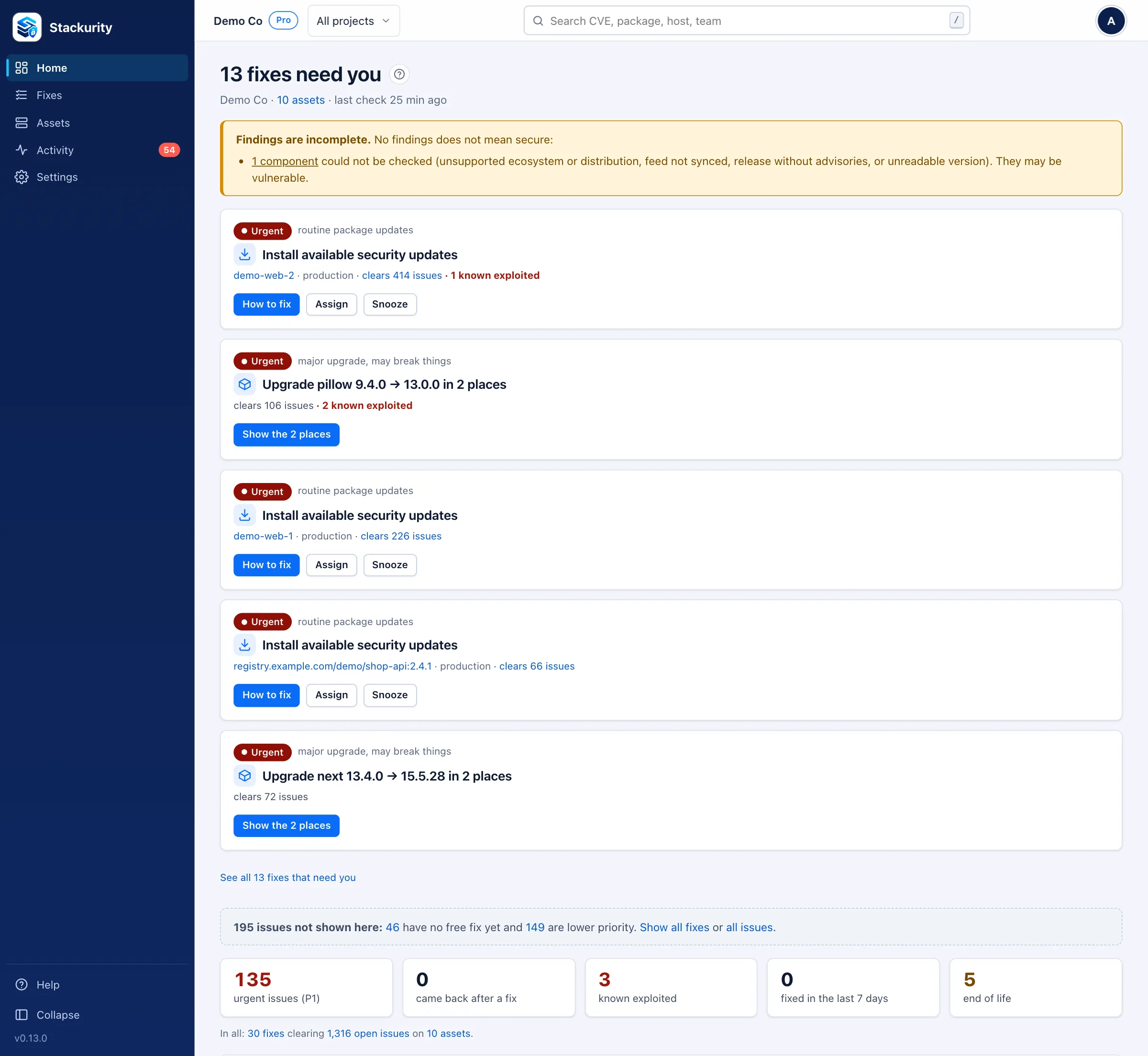
Install the read-only agent with one command, add repositories from Git or CI, connect Kubernetes and AWS, or import an SBOM. A server shows its first results about 2 minutes after the install command.
Packages, runtimes installed by hand, the libraries deployed apps actually load, images and the workloads running them, all in one inventory.
Matched against OSV, vendor advisories, CISA’s exploited list and end-of-life data with each ecosystem’s own version rules, then ranked P1 to P4 by exploitation, exposure and environment.
Each fix is one upgrade that clears many issues. Apply it, press Check again, and fresh evidence decides: passed, partly fixed or still open.
Product
Click any screen to see it full size. Screens show the demo estate that ships with Stackurity.
A new organisation names a project and adds something to check: one command installs the read-only agent on a server and finds the websites and apps on it, or connect a repository, a cluster or an SBOM. The result arrives in plain words.
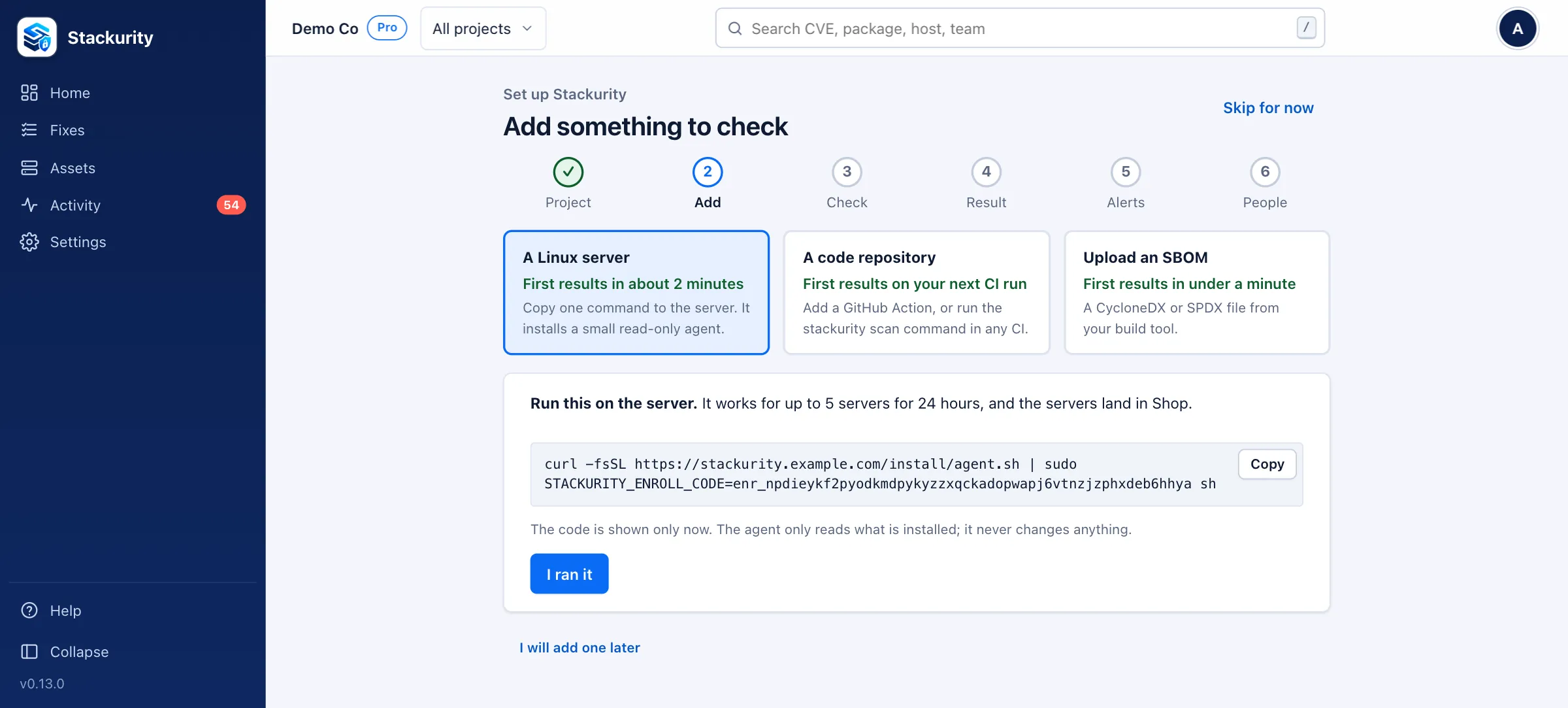
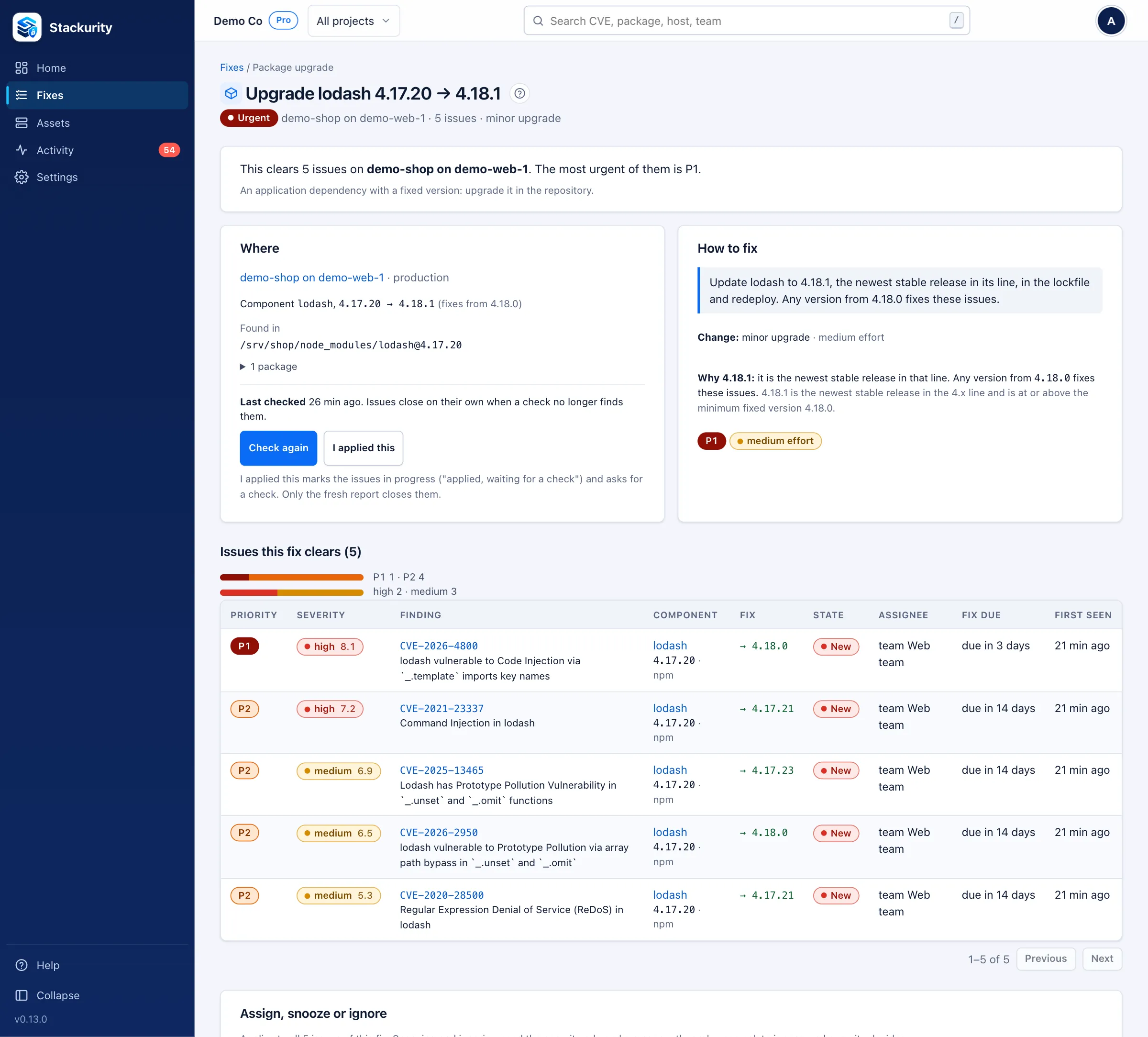
Home opens on the few fixes that need you now, not a wall of CVEs. Each fix is one change, the version to move to and why, and every issue it clears.
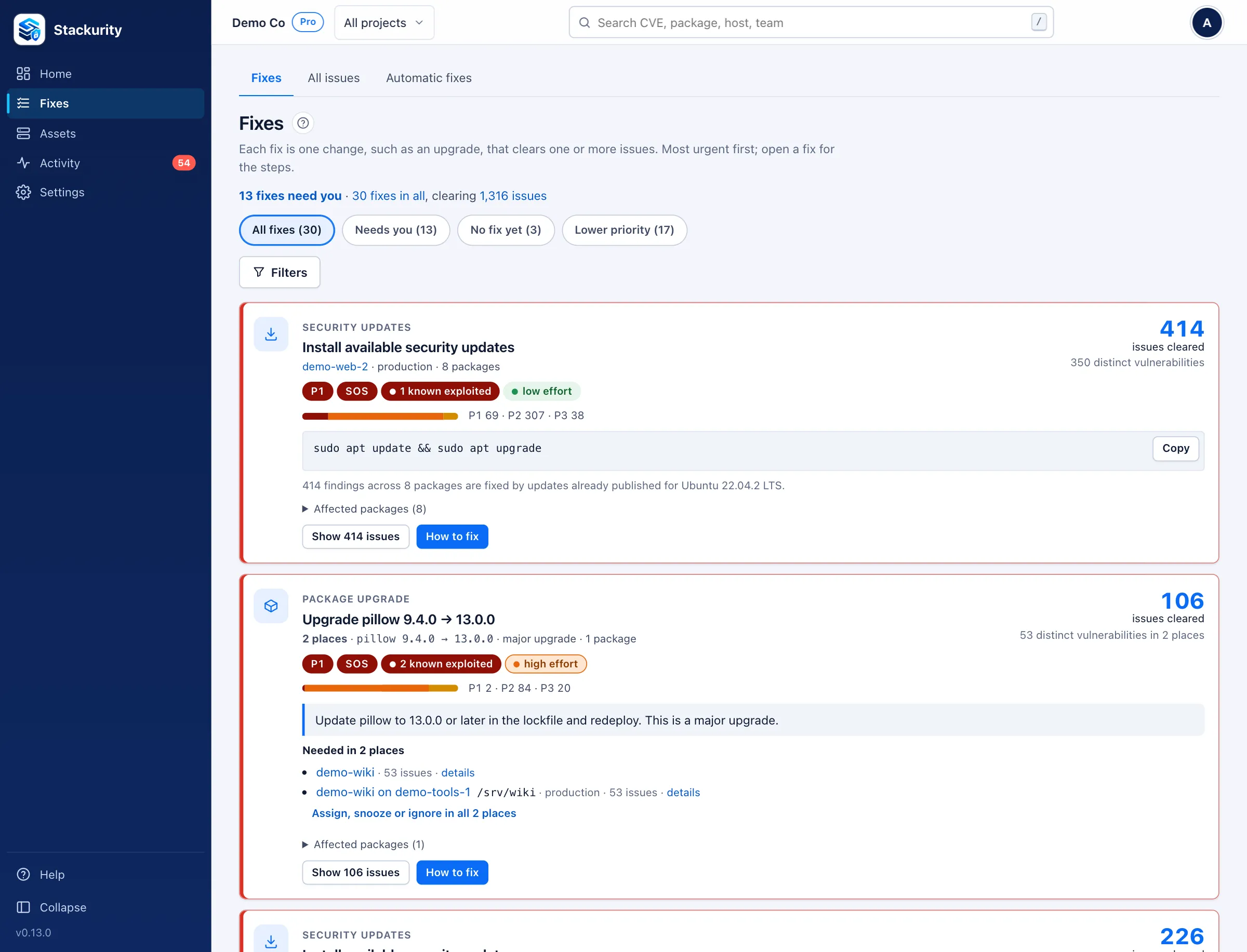
Each application appears with its host, operating system, web server, runtime and libraries, linked to the repository it was built from and the images it runs as.
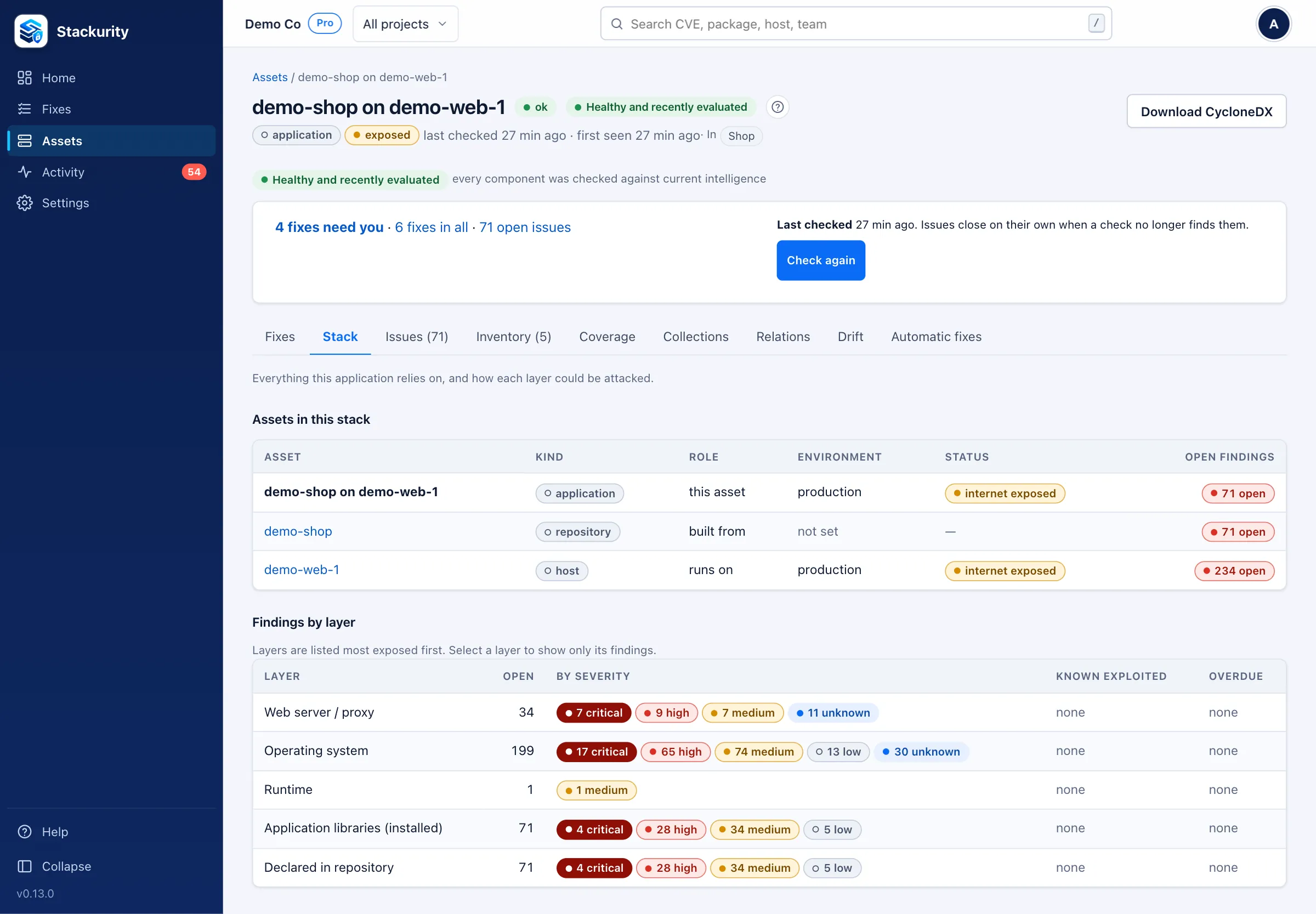
Every finding says in one sentence why it applies: the installed version and where it was seen, the advisory’s affected range, the rule that matched and when the source last refreshed.
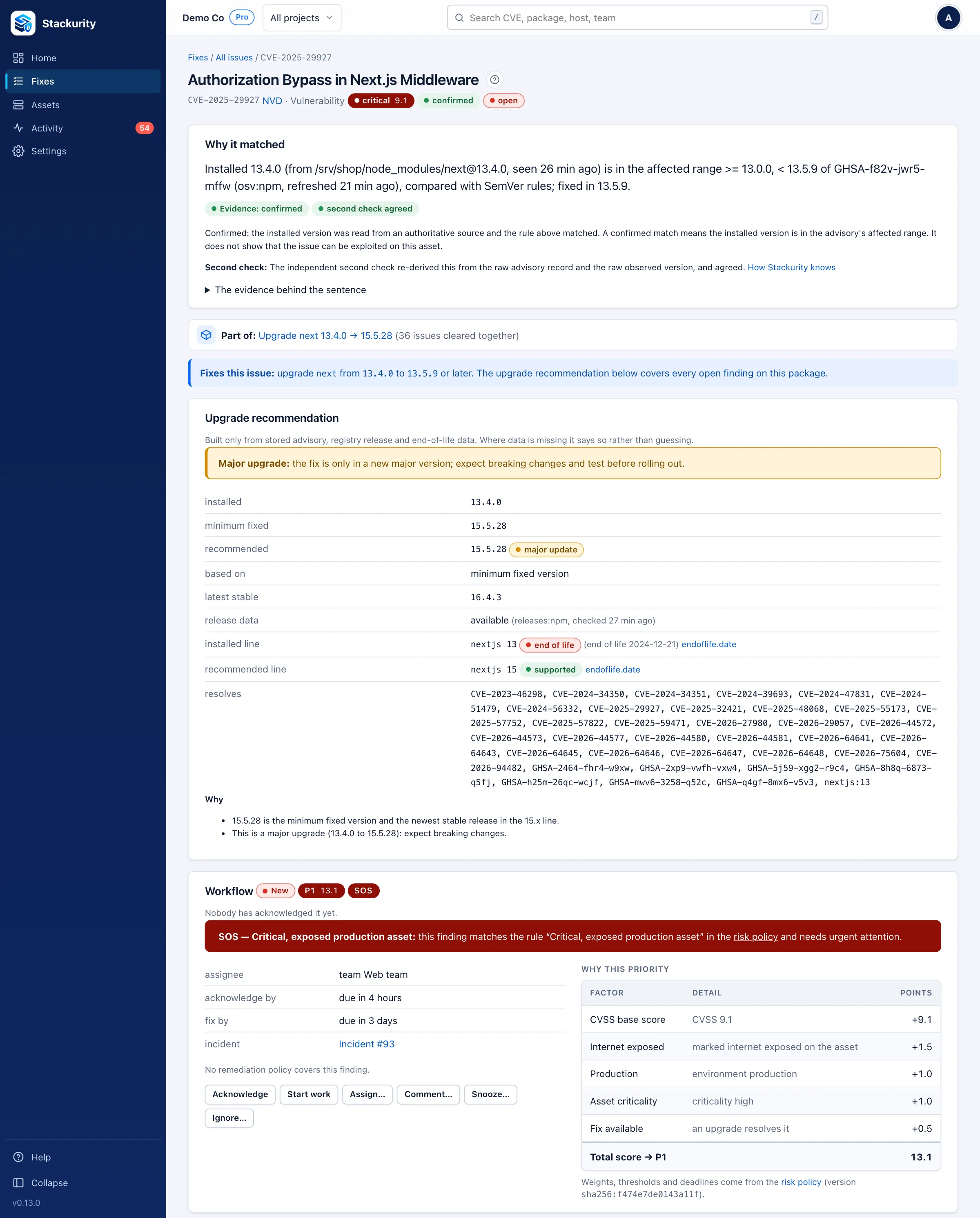
“I applied this” never closes an issue on its own. Check again asks the agent for a fresh report within a minute, and the result is recorded with who asked and when.
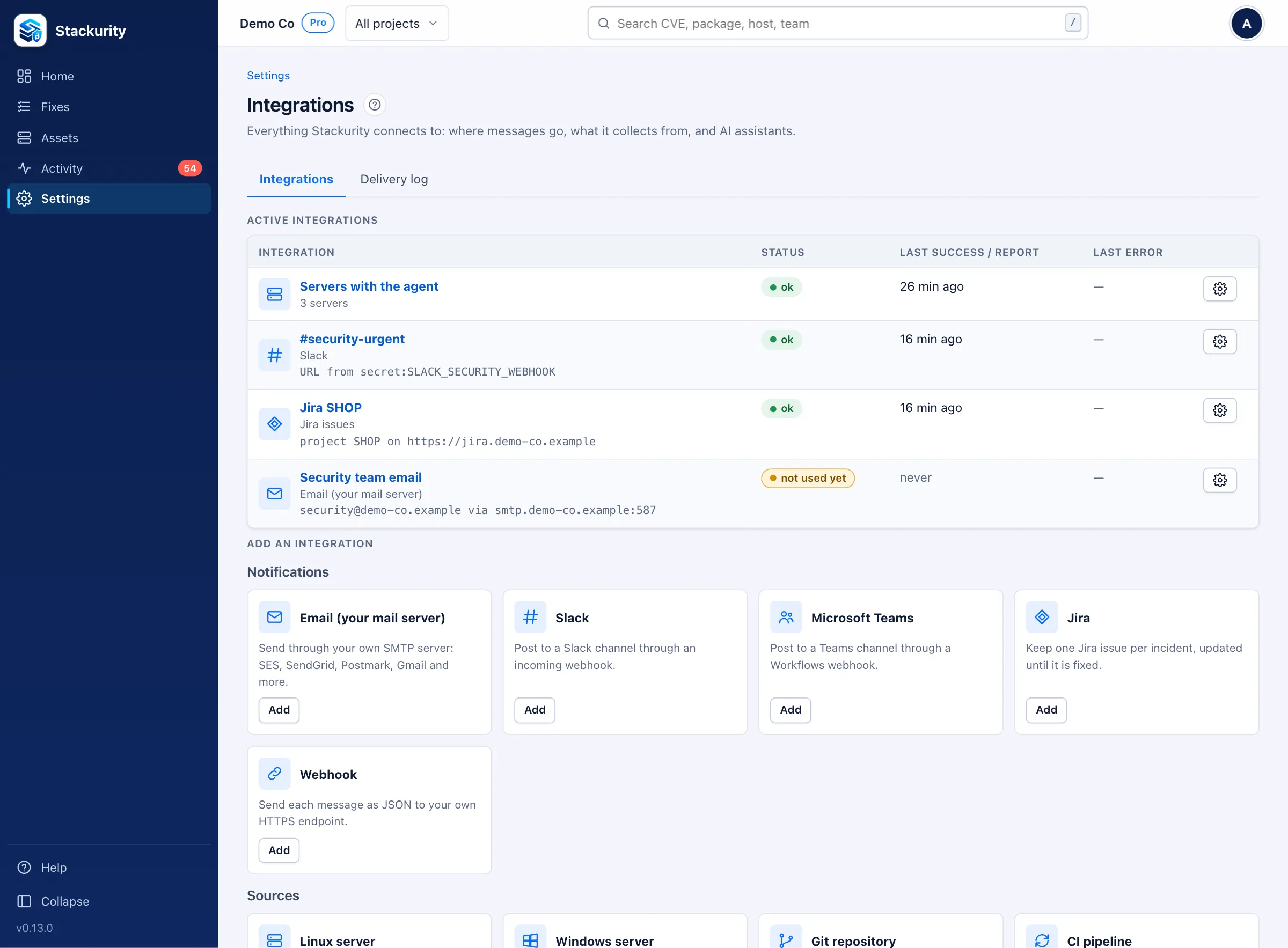
Group assets into projects, such as a site, a client or a product, and give a team or a client a role on just theirs. Access is enforced by the database itself.
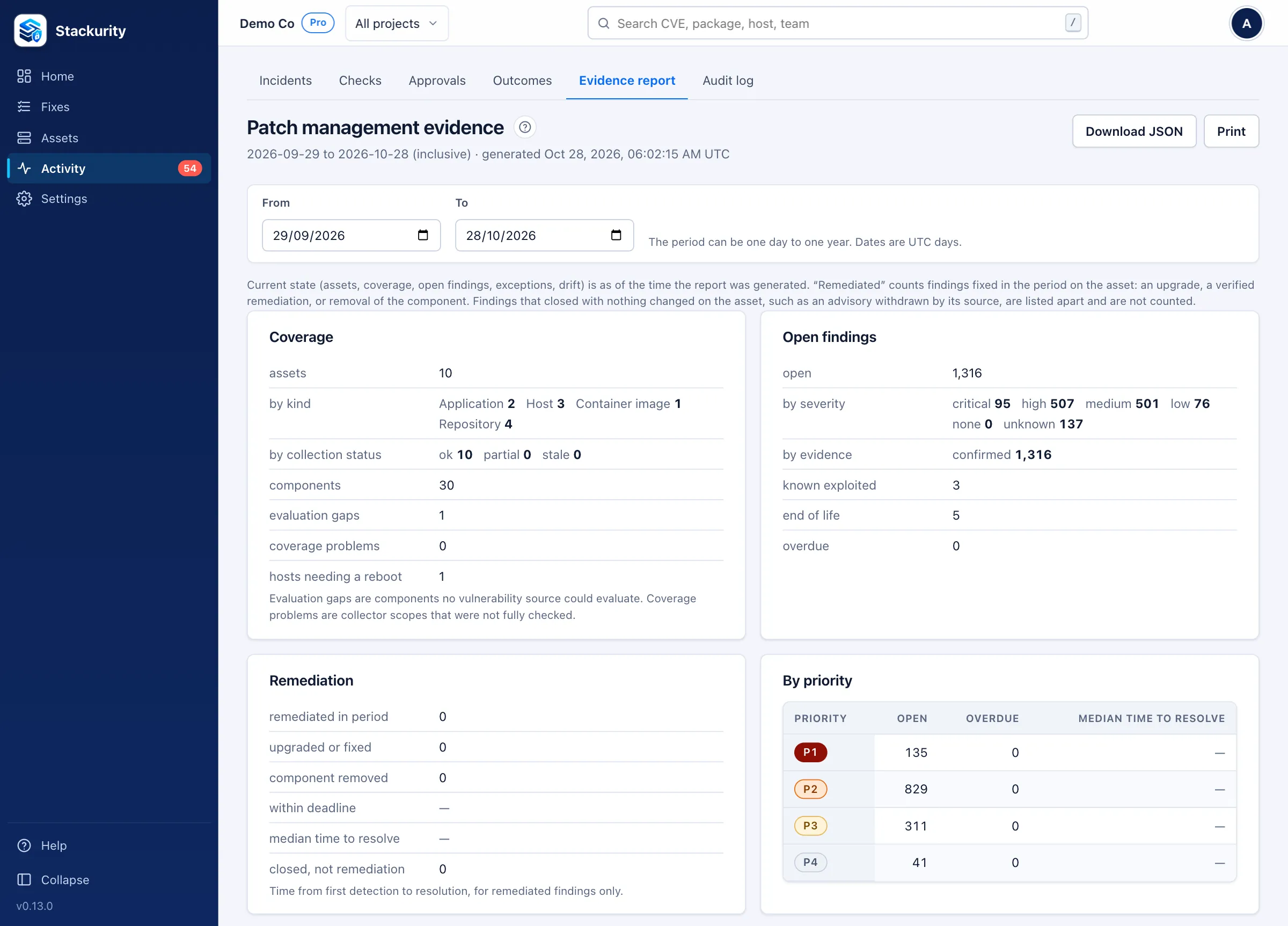
Answer security questionnaires and audits with a patch-management report for any period: what was collected, what was open and overdue, what was fixed and how fast, and every accepted risk with its reason.
And more
A distribution package that its vendor still patches, such as nginx on a supported Ubuntu, is not flagged as end of life.
stackurity scan --fail-on stops a vulnerable change before it ships.
Read-only, least-privilege access to workloads, images, exposure and cluster versions.
RDS, Aurora, ElastiCache, EKS, Lambda and OpenSearch versions checked for end of life.
Java (including deployed JARs and WARs), Rust, Elixir, Swift and C/C++ as signed packs that run in a sandbox.
Hosts running older code than is installed, and standbys that drifted from production.
Check what needs you from your phone, with Assign, Snooze and Open in Slack.
Separate organisations on one installation, isolated by row-level security.
AI assistants
Connect Claude, ChatGPT, Cursor, VS Code or any assistant that supports MCP with one URL and a sign-in, nothing to install. Settings → AI assistants has the steps for each. It sees what you see, read-only unless you tick Allow changes; then it can assign, snooze and check fixes again, showing you a preview before each change. Ask in plain words:
https://app.stackurity.dev/mcp
In Claude: Settings → Connectors → Add custom connector, paste the URL, then Connect and sign in. Choose the organisation or one project, and a role. Self-hosted: use https://<your server>/mcp.
claude mcp add --transport http stackurity \
  https://app.stackurity.dev/mcp
Then run /mcp in Claude Code to sign in.
{
  "mcpServers": {
    "stackurity": {
      "command": "stackurity",
      "args": ["mcp"],
      "env": {
        "STACKURITY_SERVER": "https://stackurity.example.com",
        "STACKURITY_TOKEN_FILE": "/home/me/.config/stackurity/token"
      }
    }
  }
}
Disconnect any assistant at once from Settings → AI assistants. All tools and how sign-in works
Integrations
Editions
Free forever, self-hosted
From $10 a month₹799 a month, GST additional, 14-day free trial
Self-hosted or hosted
Self-hosted Stackurity runs on your own server. Agents only connect out and only read unless you turn on automatic fixing. There is no telemetry. Besides the advisory feeds and the integrations you set up, the only automatic outbound request is an anonymous check for new releases on GitHub, which sends nothing about you and can be turned off. Every outbound connection is documented.
The core is Apache-2.0: read the code, run it anywhere, change it. Pro and Enterprise are a licence key away on the same installation, and licences are verified offline.
Start a free trial of Stackurity Cloud, download the free Community edition, or tell us about your estate and we will show you Stackurity on it.
Want a demo, Pro or Enterprise, or a pilot on your estate? Tell us a little about it and we will reply by email.
We use what you send only to reply to you. See the Privacy Policy.