.NET 6 end of life: dates and what to upgrade to
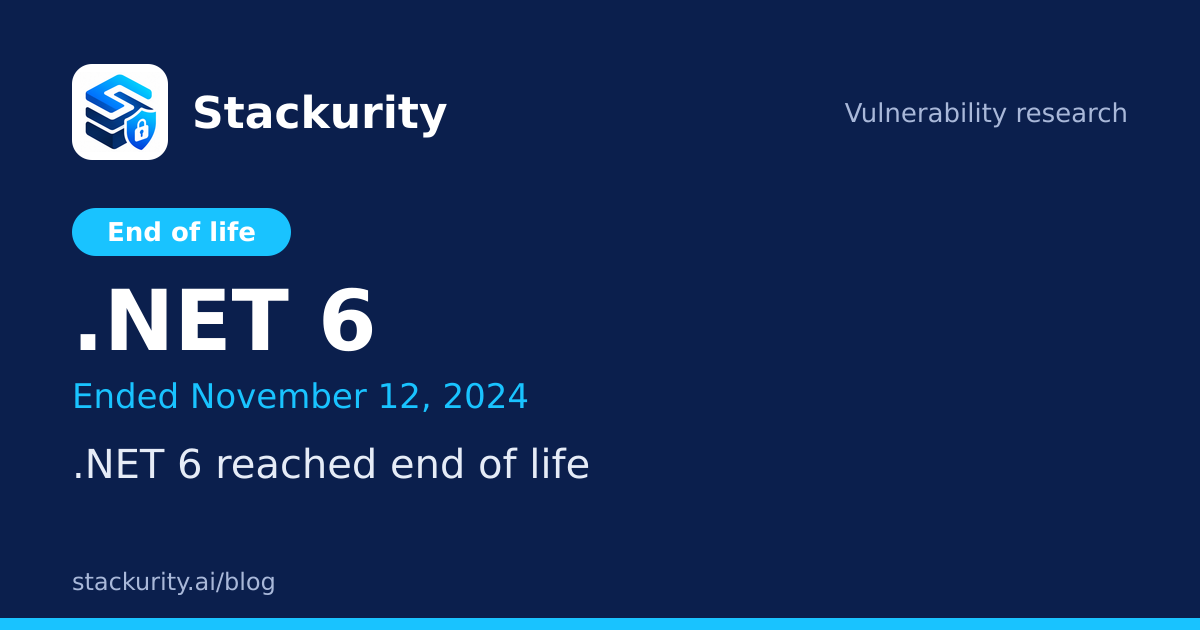
.NET 6 reached end of life on November 12, 2024. See what that means, how to check one server and what to upgrade to.

TL;DR
- .NET 6 reached end of life on November 12, 2024, according to Microsoft's support policy and endoflife.date, which agree on the date.
- It had no separate extended support phase: the same date ended all fixes, and the last release in the line is 6.0.36.
- Since then, new flaws in the runtime and its libraries are not fixed in this line, so an application still on it carries them.
- Move to .NET 10, a long term support release supported until November 14, 2028, or to .NET 11, which has the same end date.
- Stackurity flags .NET 6 as end of life on Linux servers when it came from a deb or rpm package; script, tarball and Windows installs are not checked.
What reaches end of life and when
.NET is the runtime and class library that applications written in C# and other .NET languages run on. Microsoft publishes a support policy that gives each release line a release date and an end of support date. While a line is supported, Microsoft ships patch releases that fix bugs and security flaws. When it reaches end of support, that stops.
The Microsoft .NET support policy lists .NET 6 with an original release date of November 8, 2021 and an end of support date of November 12, 2024. The endoflife.date record for .NET shows the same two dates and marks the line as a long term support release. Neither source gives a separate phase for active support or extended support, so there is only one date to plan around, and it has passed.
If you are tracking several runtimes at once, our earlier end of life guide for a later .NET line and our note on another .NET line leaving support this month show the same pattern. A lighter alternative to Qualys and Tenable for small teams is one way to keep these dates in front of the people who own the servers.
What end of life means
Nothing stops working on the day. Your applications keep running. What changes is what happens the next time a flaw is found in the runtime or the base class libraries: a supported line gets a patch and you update, while an unsupported line gets nothing, and the only answer is a move to a newer release, usually under pressure.
There are three practical consequences:
- No more security updates for new vulnerabilities in the runtime, so every flaw found after the end date stays open on .NET 6.
- Compliance and audit findings: customers and auditors ask which components are still supported, and an application on an unsupported runtime needs an exception, a compensating control or a dated upgrade plan.
- Application and tool vendors dropping support: libraries, build tools, container images and hosting services move on to newer lines, so staying behind gets harder every month.
Because the date has passed, the question is no longer when to plan but how fast to move. Our guide to planning an upgrade off an end-of-life runtime covers the order of work. Read the Stackurity documentation for how end-of-life data is matched against an inventory.
What to upgrade to
Microsoft's support policy lists two releases newer than .NET 6 that are supported now, and both end support on the same date:
- .NET 10, released on November 11, 2025, is marked LTS (long term support) and is supported until November 14, 2028. The latest release in the line is 10.0.15. It is the better default for most production applications because it is a long term support release.
- .NET 11, released on November 10, 2026, is marked STS (a shorter support term) and is supported until November 14, 2028. The latest release in the line is 11.0.0. Choose it if you want the newest runtime features and can accept a release that is new.
A practical order of work:
- Find every use of .NET 6. List servers, container images, build agents and repositories, and note the owner, environment and exposure of each.
- Choose the target: .NET 10 unless an application needs something only the newer line offers. Check that your libraries, build tools and hosting platform support it.
- Change the target framework in each project file, rebuild, and fix the warnings and errors about removed or changed behaviour. Update base images, CI images and installed packages to match.
- Test in staging with realistic data, deploy in a maintenance window, and keep the old build available until the new one has served traffic cleanly.
- Check again after deploying. Confirm that no host or image still reports the .NET 6 runtime, and record the machines you could not move, each with an owner and a deadline.
How to check one server by hand
To check one Linux machine, run:
dotnet --list-runtimes
dotnet --list-sdks
dotnet --info
The first two list the installed runtimes and SDKs with their versions, and the third prints the full environment. A runtime whose version starts with 6 belongs to the .NET 6 line. To see whether the runtime came from a distribution or Microsoft package, run one of these:
dpkg -l 'dotnet*'
rpm -qa 'dotnet*'
For a container image, run the same commands inside the container, and also read the base image named in each Dockerfile, since the runtime may come from the image rather than from your own packages. To find applications that were built for the line, search the repositories for the target framework setting in project files:
grep -r TargetFramework --include=*.csproj .One caveat applies to Linux distribution packages. Distributions backport fixes, so a package version can look older than the upstream release. For .NET 6 this does not bring back upstream support: read your distribution's notice for what it still patches, and do not rely on the package name alone.
How Stackurity flags it
Stackurity keeps one live inventory of your servers, applications, repositories, container images, Kubernetes workloads and cloud services, and matches it against end-of-life dates every day. On a Linux server, a read-only agent reads the .NET runtime packages installed as deb or rpm: Red Hat's, Microsoft's own package repository, or Ubuntu's .NET backports archive. Once a .NET release has ended, the host gets an end-of-life finding, and the findings appear in a short list, most urgent first. Ubuntu's own archive packages follow the Ubuntu release, because Canonical keeps patching them.
Be aware of the limits. .NET installed by the dotnet-install script or from a tarball, .NET on Windows and an application's target framework are not checked, and Stackurity does not detect the runtime from NuGet files, lockfiles, images or SBOMs. Check those by hand with the commands above. After you upgrade, check again asks the agent for a fresh report and records whether the issue is really gone. See how Stackurity handles fixes in the docs. The core is open source, and Stackurity Cloud has a 30-day free trial without a card: start a free trial.
FAQ
When does .NET 6 reach end of life?
According to Microsoft and endoflife.date, .NET 6 reached end of life on November 12, 2024. It has no separate extended support phase, so that date is the end of all fixes.
Is .NET 6 still getting security updates?
No. Since November 12, 2024 the release line gets no security fixes, so a new flaw in the .NET 6 runtime or libraries stays open on that release. The last release in the line is 6.0.36.
What should I upgrade .NET 6 to?
Move to .NET 10, a long term support release that Microsoft supports until November 14, 2028, or to .NET 11, which has the same end date. Pick the one your libraries, build tools and hosting platform accept.
Does Stackurity find .NET 6 on my servers?
On Linux servers, yes, when the runtime came from a deb or rpm package. Stackurity flags it as end of life. .NET installed by script or tarball, .NET on Windows and an application's target framework are not checked.
Can I keep running .NET 6 safely?
Not for long. An application keeps working, but every new runtime flaw stays open. If you must keep one for a while, limit its network exposure, record an exception with an owner and a date, and plan the move.
Sources
Sources: Microsoft .NET support policy, endoflife.date record for .NET, Stackurity product facts.